Getting Started in Doodle Basketball
From lobby to first dunk — a clear first-hour plan for new stick-figure hoopers.
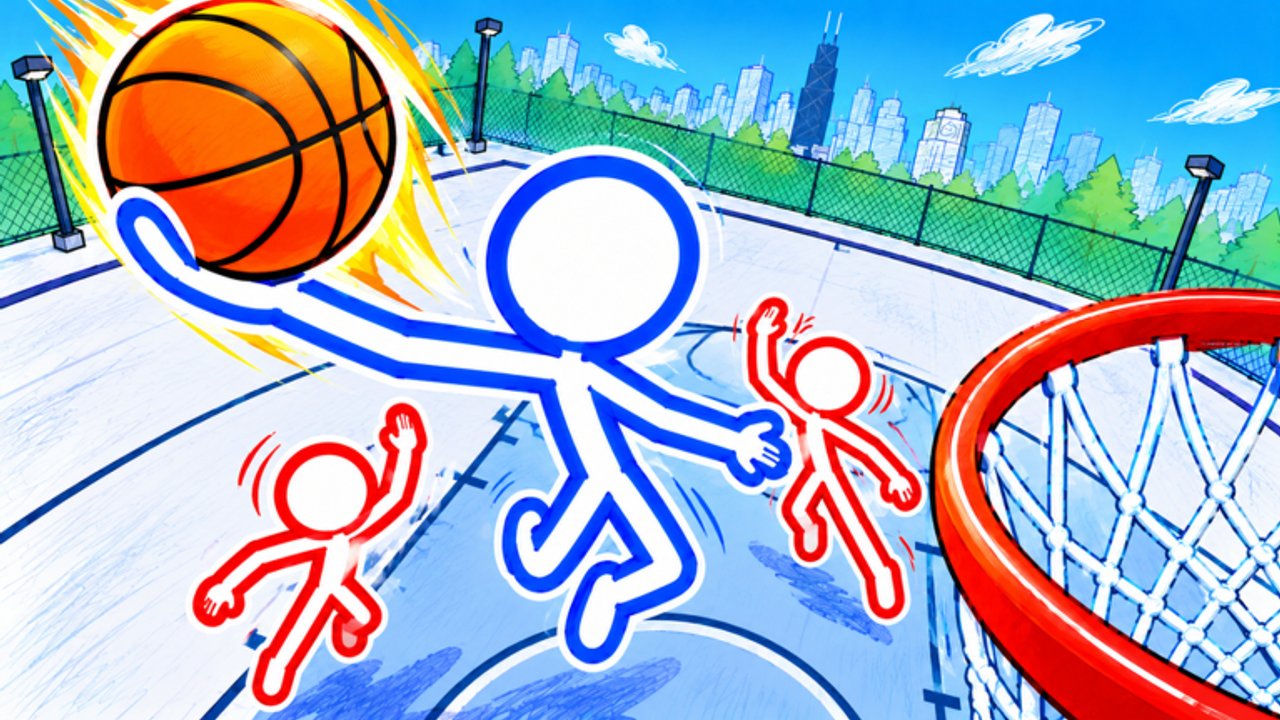
Doodle Basketball is a free-to-play Roblox sports experience from the Doodle Sports group. You play as stick-figure athletes on notebook-style courts across a doodle city, trading ankle breakers, threes, and dunks in online 1v1, 2v2, and 3v3 matches. Servers hold up to 28 players, the place has drawn millions of visits since its mid-October 2026 launch, and the loop is simple: customize in the shop, queue a mode, and outplay whoever shares your court.
This page is the onboarding hub. Use it before you chase cosmetics, try advanced moves, or dig into Scripts. Pair it with Controls, Game Modes, How to Dunk, Shooting, Defense, Tips and Tricks, and Customization once you know the basics.
How to join the game
Open Roblox and go to the official place: Doodle Basketball (universe ID 10771081056). Search the title or open the experience from the Doodle Sports group page, then press Play. Because it is free-to-play, you only need a Roblox account and a stable connection. After the load screen you land in a social lobby area where other stick figures hang out between matches. Take a moment to orient yourself: find the shop or customize UI, note any mode selectors, and confirm your camera feels comfortable before you queue.
If friends are already in a server, use Roblox’s Join feature so you land together. Server size is large enough that queues rarely feel empty, but peak hours still fill faster. Bookmark this wiki’s Updates page so you catch patch notes that change shop items or mode rules.
First ten minutes checklist
- Confirm you are on the official Doodle Basketball place, not a copycat experience.
- Open customization and pick a readable mascot, outfit, ball, or skin so you can track yourself on the court.
- Skim the on-screen prompts and practice movement with WASD plus mouse look.
- Learn the pass key (press 1) and the right-click punch / physical interact before your first ranked-feeling lobby.
- Queue a short mode — many new players start in 1v1 to learn spacing, then move to 2v2 or 3v3.
- After one match, revisit the shop with any currency or unlocks you earned and plan a second loadout.
- Check Codes in case a promo appears; as of November 2026 none are publicly confirmed, but the redeem flow is worth knowing early.
What the game is about
Visually, Doodle Basketball leans into sketchbook charm: courts look drawn on paper, characters are stick figures with personality, and cosmetics range from simple outfits to flashy community favorites (players often mention Pinhead-style or SpongeBob-inspired looks). Mechanically it is still basketball. You move, pass, shoot, defend, and finish at the rim. Ankle breakers punish slow feet, threes reward spacing, and dunks create highlight moments when you attack the paint with timing.
Matches are competitive and cooperative depending on roster size. In 2v2 and 3v3 you must pass (again: 1) and rotate with teammates. In 1v1 every possession is on you. The meta shifts as players discover better shot timings and defensive habits, so treat early hours as practice, not a verdict on your skill.
Core systems you will touch
Movement and camera. Standard Roblox WASD movement with mouse aiming. Keep your camera slightly elevated so you see cutters and open corners. On notebook courts, sightlines can feel flatter than photoreal arenas — raise the camera if you keep losing track of the ball.
Passing. Press 1 to pass. New players who refuse to pass in 2v2/3v3 lose easy assists and force contested shots. Call for the ball verbally or with Roblox chat if your team is quiet.
Physical interact. Right-click punches or physical interactions show up in community footage. Use them sparingly for contests and bump timing; spamming them can leave you out of position for a rebound.
Shooting and finishing. Release timing and positioning matter more than button mashing. Work mid-range and threes once you can finish layups cleanly. When you are ready for rim attacks, read How to Dunk.
Customization shop. Outfits, mascots, balls, and character skins live here. Cosmetics do not replace fundamentals, but a ball you like and a skin you can spot in a crowd help focus. Details live on Customization.
Modes. Choose 1v1 for skill reps, 2v2 for chemistry, and 3v3 for full-court chaos. Mode deep dives are on Game Modes.
Suggested first-hour plan
Minutes 0–15: Lobby + shop. Equip a clean default look, test camera sensitivity, and walk the court lines if the lobby lets you warm up.
Minutes 15–35: Play two or three 1v1s. Focus only on dribble direction, pass key muscle memory, and contesting shots without fouling yourself out of position.
Minutes 35–50: Jump into a 2v2. Force yourself to pass at least twice per possession when a teammate is open. Note how ankle breakers create driving lanes.
Minutes 50–60: One 3v3 for chaos practice, then return to the shop. Review what you unlocked, peek at Players or community creators for inspiration, and skim Tier List only after you understand the moves yourself.
Common beginner mistakes
Holding the ball too long in team modes, ignoring the pass key, and sprinting every possession without a plan are the big three. Also avoid buying every cosmetic on day one — save for a look you will keep. Do not paste random loadstrings until you understand risks; if you explore executors later, read Scripts carefully and never share account credentials.
Another trap is chasing dunks before you can hit open threes. Flashy finishes win clips, but consistent scoring wins matches. Build a simple offense: drive, kick, relocate, shoot.
Where to go next on this wiki
- Controls — full input map and practice drills.
- How to Dunk — timing and approach angles for rim finishes.
- Shooting — catch-and-shoot threes and shot selection.
- Defense — contests, positioning, and help habits.
- Tips and Tricks — warm-ups, tempo, and patch-week habits.
- Customization — mascots, outfits, balls, skins.
- Game Modes — 1v1 vs 2v2 vs 3v3 strategy.
- Codes — status of promo codes and how to redeem when they appear.
- Updates — patch and content notes.
- Links — official place and related destinations.
Stay patient for the first sessions. Stick-figure basketball rewards clean footwork and decision-making more than spam. Once the controls feel automatic, the doodle city courts become a playground for ankle breakers, deep threes, and the dunks you came for.
Practice goals for week one
Set measurable goals so each session improves something specific. Example targets: land ten clean passes in 2v2 without turning the ball over; hit five open threes from the doodle-court corner; contest three shots with right-click timing without leaving your assignment; finish two dunks in live matches after reading the dunk guide. Track what fails — late releases, bad camera height, or selfish possessions — and fix one habit per day.
Invite a friend for 2v2 once you can pass on instinct. Chemistry multiplies every mechanic in the game. If you prefer solo grind, alternate 1v1 blocks with short 3v3 runs so you do not tunnel-vision on isolation habits. Revisit this getting-started checklist after major updates in case shop flows or mode names shift.
Finally, keep expectations realistic. The experience already has millions of visits and a large favorite count, which means lobbies include veterans who know the timing windows. Losing early is data, not a dead end. Study why a defender stopped your drive, adjust spacing, and queue again. That loop — play, review, customize, replay — is the real tutorial Doodle Basketball teaches beyond any single tip list.
Frequently Asked Questions
Quick answers for Doodle Basketball on Roblox.
Is Doodle Basketball free to play on Roblox?
Yes. It is a free-to-play experience from Doodle Sports. You can join with a Roblox account; optional cosmetics and shop items may cost Robux or in-game currency depending on the listing.
What should I do before my first match?
Open the shop, equip a readable skin or outfit, learn that Pass is key 1, practice WASD plus mouse aim, and note right-click for punch or physical interact. Then queue 1v1 or 2v2.
Which mode is best for beginners?
Start with 1v1 to learn shooting and defense without relying on teammates, then move to 2v2 for passing practice and 3v3 once rotations feel natural.
Are there working promo codes right now?
As of November 2026 no public promo codes are verified. Check the Codes page for the latest status and redemption steps for when codes appear.
Where can I learn dunks and advanced moves?
Read the How to Dunk guide for rim finishes, Controls for the full input map, and Game Modes for mode-specific tips. Practice in live matches after you know the buttons.